Documentation
Complete user guide
1. Introduction and access
Scrivaelo is a literary writing studio for authors. Under a single address (scrivaelo.com), it brings together a showcase website, your personal dashboard and the editor — “the studio”. This guide reviews, leaving nothing out, every screen, every panel, every button and every possibility, illustrated with real usage screenshots.
1.1 Create an account
- From the website, open “Create an account” (page /inscription/). Enter your name, email, a password and, if asked, your preferred literary genre.
- You receive an activation email: click the link to validate the account.
- Access is free for the whole beta, with no credit card.
1.2 Sign in and recover your password
- “Sign in” page (/login/): email + password.
- Forgot password: a dedicated link sends you a reset link (/reset-password/).
- After signing in, you land on your dashboard.
1.3 A single address and secure access
The website, the dashboard and the studio are all under scrivaelo.com. Access to the editor always goes through sign-in then the dashboard (the “Open the workshop” button), via a secure session.
1.4 Choosing the language
The interface is available in 11 languages: Français, English, Español, Deutsch, Italiano, Português, Русский, Dansk, Ελληνικά, Suomi, Magyar. On the site a language selector sits in the menu; in the studio, the language is set in Settings → Preferences (§7.7). Your choice is remembered.
2. The user dashboard
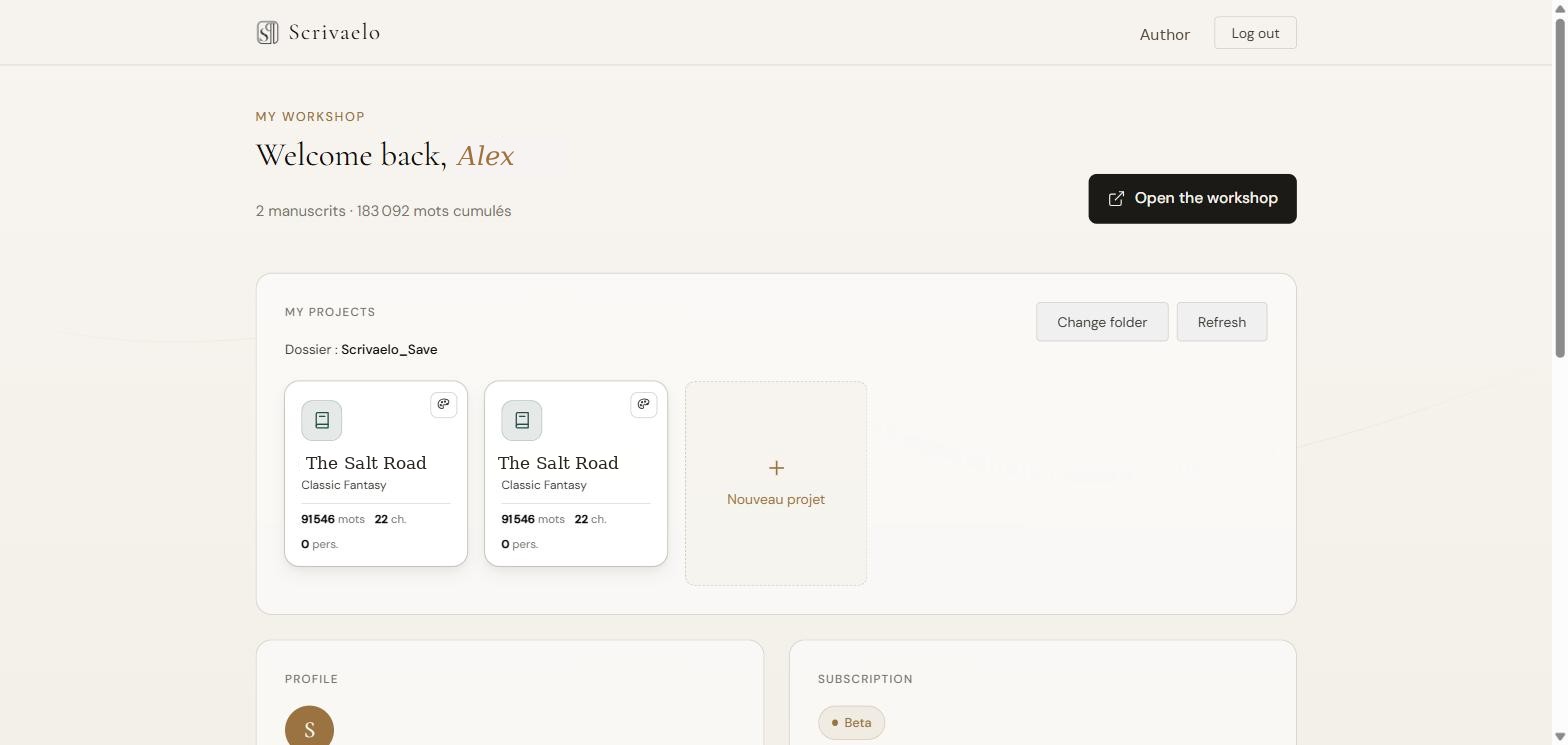
Available at scrivaelo.com/dashboard/. It is your personal space: projects, profile, subscription, support, and the entry point to the studio.
2.1 Header
- On the left: the Scrivaelo logo (back to home).
- In the centre: a reminder of your number of manuscripts and total accumulated words.
- On the right: your name and the “Log out” button.
2.2 Open the workshop
The “Open the workshop” button launches the editor, securely passing along your session. It is the normal path to write.
2.3 The “My projects” card
This module links your dashboard to the .scrivaelo files stored on your computer (nothing is sent to our servers). Depending on your browser, two modes exist:
- Disk folder (Chrome, Edge, Brave, Opera): a “Configure folder” button to choose the folder of your projects. A parametre.scrisys file stores the index there. Then: “Change folder”, “Refresh” and “Import…”.
- Browser local storage (Firefox, Safari): your files stay in the browser storage; import/export are available.
- Each detected project shows as a card (title, genre, words, chapters, characters): click to open it in the studio. An unreadable file is flagged.
The dashboard and the studio share the same project folder. Opening a project from the dashboard opens it directly in the editor.
2.4 The “Profile” card
| Name | your author name (the initial is shown in the avatar) |
|---|---|
| the account address | |
| Literary genre | your preferred genre (Novel, SF/Fantasy, Thriller, Romance, Historical, Other…) |
| Member since | account creation date |
2.5 The “Subscription” card
During the beta, a “Beta” badge indicates full free access, with no credit card. The “Trial” and “Pro” states (with end date and a “Manage subscription” button) are planned for after the beta.
2.6 The “Support” card — report a bug and track your tickets
Two columns: the report form on the left, the scrollable list of your tickets on the right.
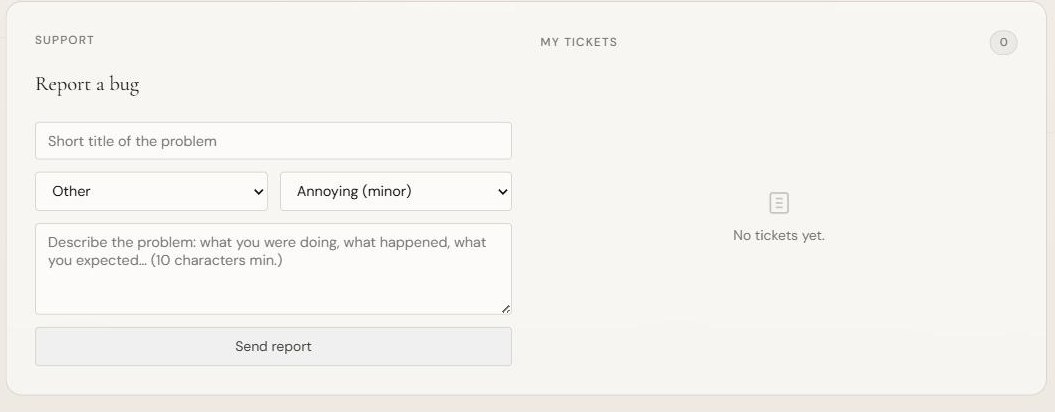
- Form: short title, Category (Editor, Export, Projects/save, Account, Performance, Other), Severity (Annoying/minor, Serious/major, Blocking), Description, then “Send report”.
- Every report is sent to the team (via Discord) and appears in “My tickets” with a status: New, Confirmed bug, In progress, Resolved or Rejected.
- When the team handles the ticket, its status updates here and its reply appears below the ticket.
- The module also exists in the studio (the “Report a bug” icon) and is translated into all 11 languages.
- Anti-spam: 5 reports maximum per hour. Your email is never made public.
2.7 A multilingual dashboard
The whole dashboard interface (labels, support form, statuses) is translated according to the chosen language, in the 11 supported languages.
3. The studio — overview
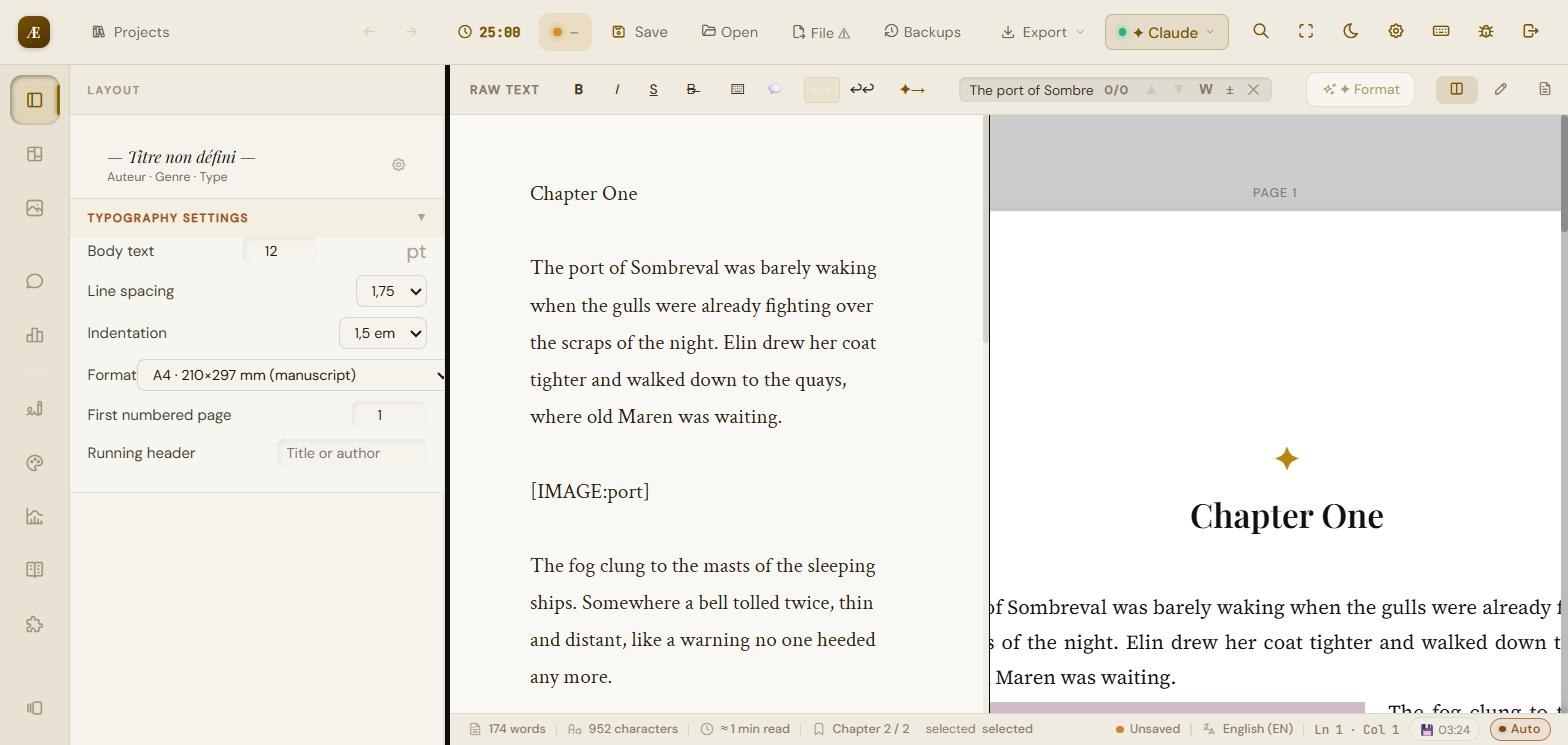
The studio is made up of a top toolbar, a formatting bar, the writing area (left), the paginated preview (right), a side rail of icons (panels) and a status bar.
3.1 The project welcome window
On opening, a “Welcome to your workshop” window offers:
- New project: start a novel or a blank document.
- Load a project: open an existing .scrivaelo / .json file.
- Automatic backups: the list of restorable local autosaves (with date/time).
- Continue without a project: go straight into the editor.
3.2 The top toolbar
| Projects | back to the welcome window / project management |
|---|---|
| Pomodoro (25:00) | writing timer — opens the Pomodoro modal (§9.3) |
| Save | saves the project as .scrivaelo (download or disk file) |
| Open | load a .scrivaelo/.json project |
| File | save into the current disk file (or warns if none is open) |
| Backups | manage the versioned backups folder (timestamped) |
| Export | export menu: PDF, Word, ePub, Markdown (§10) |
| AI menu | quick access to AI functions and configuration |
| Search | global search across the whole project (Ctrl+Shift+G) |
| Full screen | toggles full-screen / focus display |
| Dark mode | toggles light / dark |
| Settings | opens the Project settings modal (7 tabs, §7) |
| Keyboard shortcuts | shows the shortcuts help (§12) |
| Report a bug | opens the report form (§2.6) |
| Log out | leaves the studio and closes the session |
3.3 The formatting bar
Above the writing area: text formatting and navigation.

- “Raw text” display toggle.
- Bold, Italic, Strikethrough, plus internal marks (indents, quotes, scene separators).
- Search / Replace: whole-word search by default, accent handling, and a button to switch back to partial search.
- Format: automatically applies the preview layout (chapter detection, justification, indents, centred titles).
- AI continuation (arrow icon): generates a continuation of the text from the context (API key required).
3.4 The writing area and automatic detection
You write in a simple text area. The app automatically detects the novel's structure:
- Chapter titles (Chapter I, CHAPTER ONE, Chapter One, I., etc.).
- Subtitles and scenes; scene breaks (*** or ---).
- It then applies publishing standards: justified text with a first-line indent, centred and hierarchical titles, professional typography.
- Tip: type [IMAGE:name] to place an image (§6).
3.5 The side rail (panels)
The column of icons on the left opens the work panels:
| Layout | page format, body size, line spacing, indent, starting page |
|---|---|
| Card view | chapters/scenes as cards (status, tags, lock) |
| Images & media | insert and adjust images (§6) |
| Author notes | notes and annotations tied to the text |
| Statistics | words, characters, chapters, pages, goals (§9) |
| Proofreader | spelling, grammar, punctuation, style (§8.1) |
| Style analysis | readability, variety, repetitions, rhythm (§8.2) |
| Advanced statistics | detailed statistics + AI interpretation (§8.3) |
| Synonyms | contextual synonyms and antonyms (§8.4) |
| Narrative consistency | detection of internal contradictions (§8.5) |
| Versions | snapshots per chapter (§4.4) |
3.6 The paginated preview
On the right, the page-by-page “book” rendering. You set the format (A4, etc.), the zoom (50% to 120%), and navigate between pages. Folio numbering starts at the number set in Author.
3.7 The status bar
At the bottom: word count, character count, estimated reading time, current chapter, position (line/column), proofreader language, autosave indicator (timestamped) and sync state (“Mains / Auto”).
3.8 Display modes
- Three preview views: editor only, preview only, or editor + preview side by side.
- Focus / full-screen mode: hides the interface to focus on the text.
- Dark mode: a restful dark theme.
- Typewriter cursor: keeps the active line centred on screen.
- Isolated mode: shows only the current chapter/scene (Ctrl+Shift+I).
4. Writing and structuring your novel
4.1 Chapters, scenes and statuses — the Card view
The “Card view” panel presents the detected structure as cards. Each chapter/scene shows its word count and lets you steer progress.
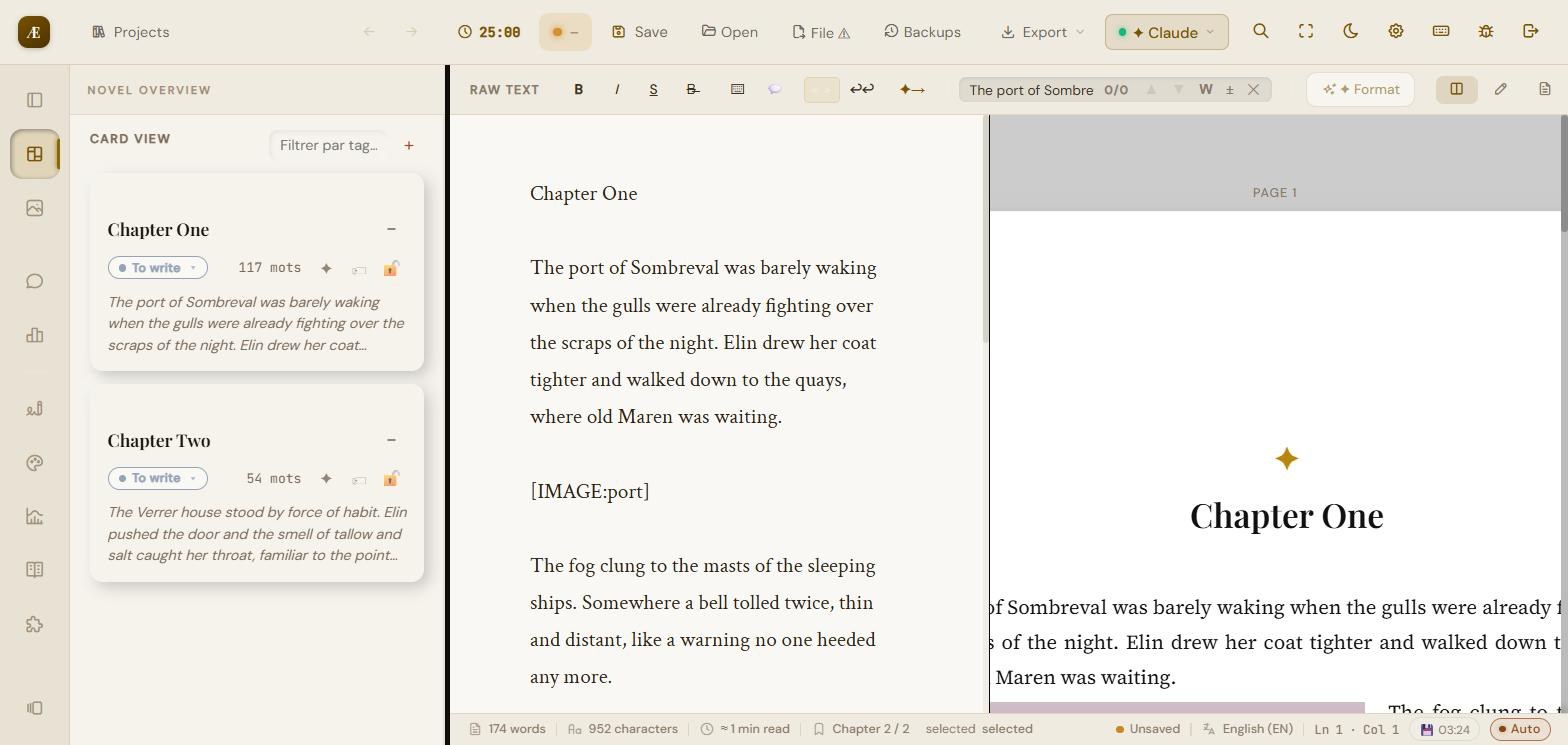
- Status per card: To write, In progress, Done, In review.
- Tags: filter cards by label (“Filter by tag”), add new ones.
- Lock: lock a chapter to prevent any accidental change.
- The word count is computed per chapter and for the whole.
4.2 Author notes and annotations
Attach free notes to the project and annotations to specific passages of the text.
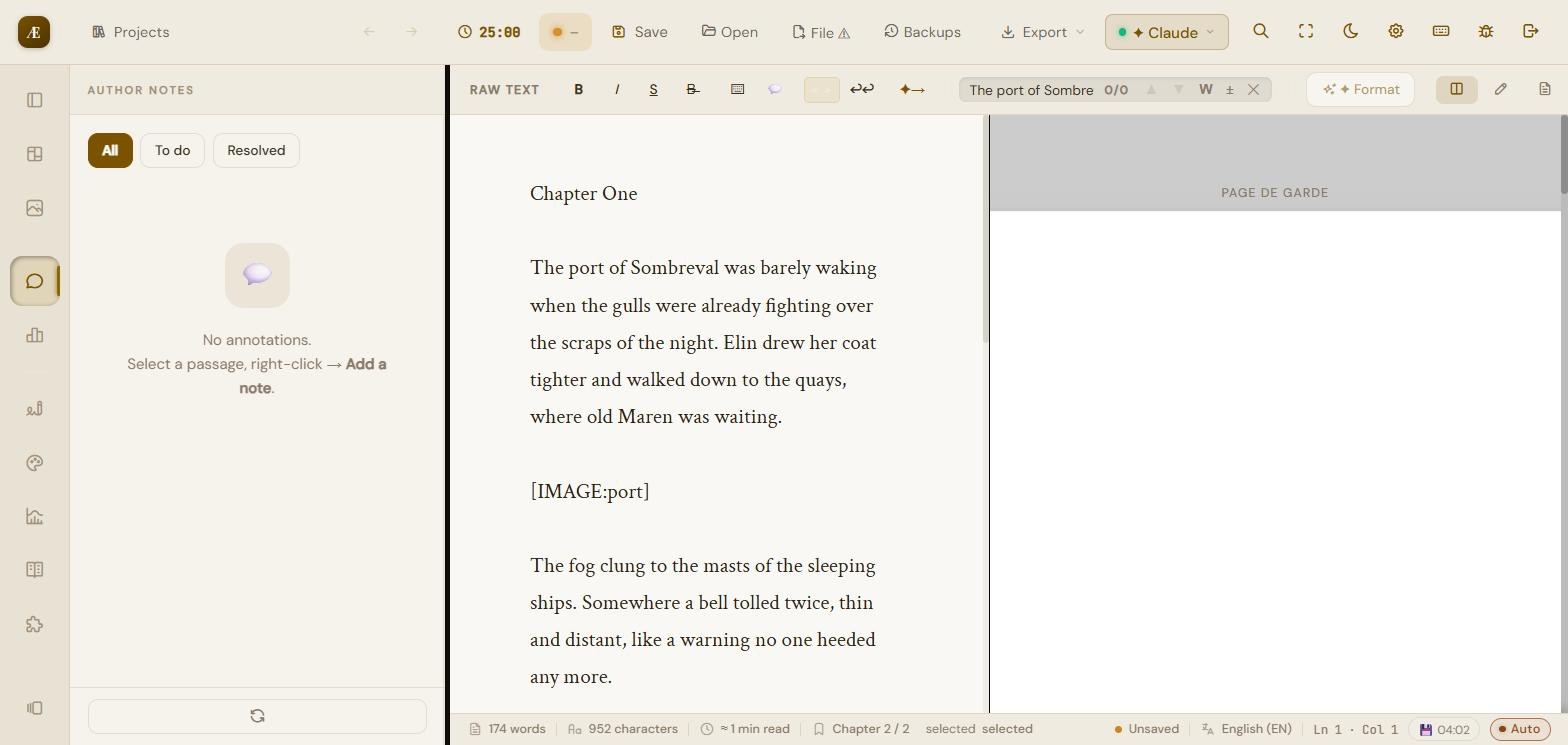
- To annotate: select a passage in the editor, right-click, then “Add a note”.
- Each note can be marked “to do” or “resolved”; filter them via All / To do / Resolved.
- Notes and annotations can be exported separately as Markdown (.md) if needed, without cluttering the manuscript.
4.3 Search & replace in the editor
- Whole-word search by default (accents handled), navigation between occurrences.
- A dedicated button to switch to partial search.
- Replace: single or global replacement of a term.
- After a search, focus returns to the text: you can edit the found word directly.
4.4 Versions / snapshots
The “Versions” panel saves named snapshots of the active chapter — a per-chapter history, separate from whole-project backups.
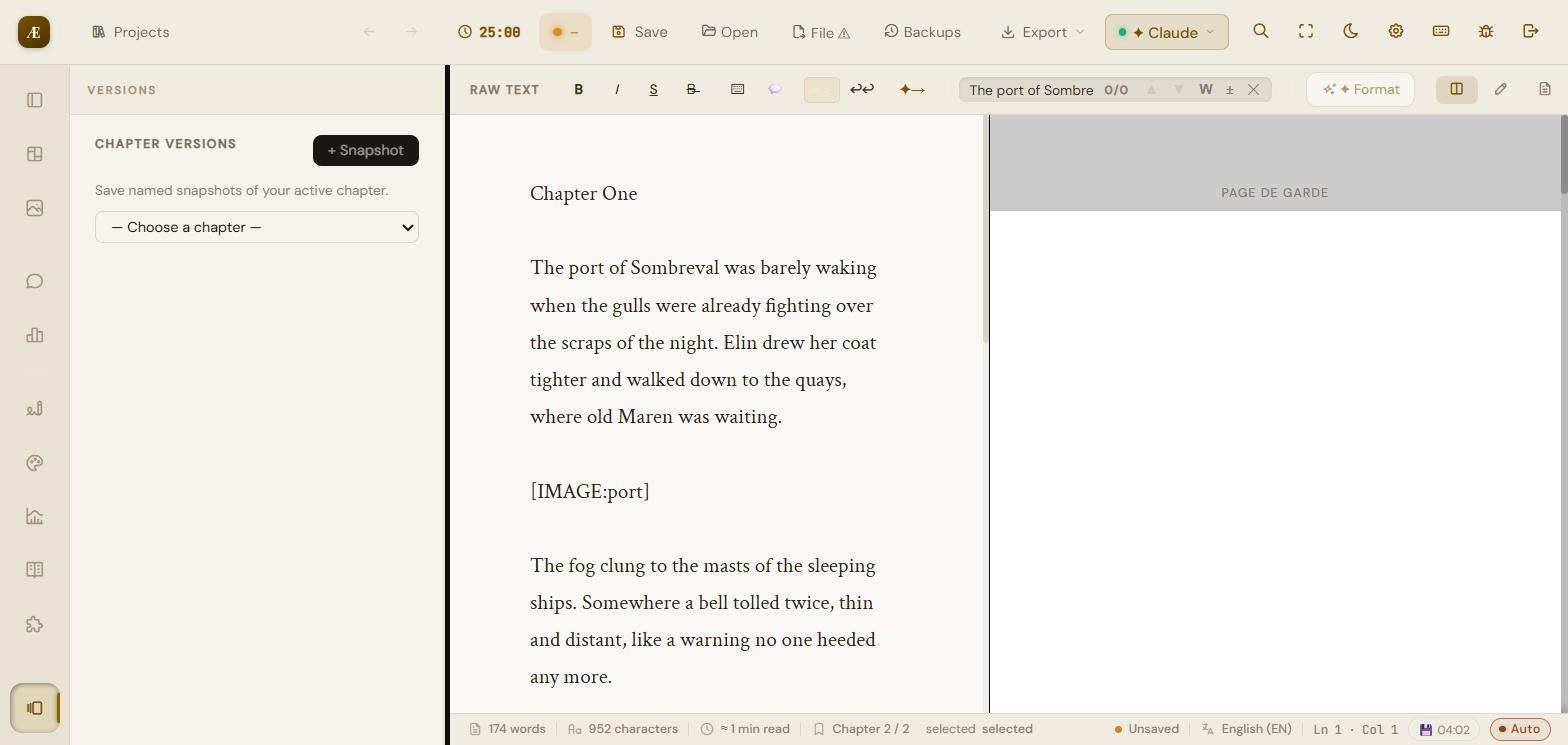
The “+ Snapshot” button captures the state of the chosen chapter. Handy before a major rewrite: you can compare and restore an earlier version.
5. Searching in the text
5.1 Search in the editor
The search/replace bar (§4.3) works in the chapter or the whole displayed text, with “whole word” mode by default and accent handling.
5.2 Global search
The magnifier button in the top bar (shortcut Ctrl+Shift+G) opens a search across the whole project, all chapters, with direct access to results.
6. Images and media
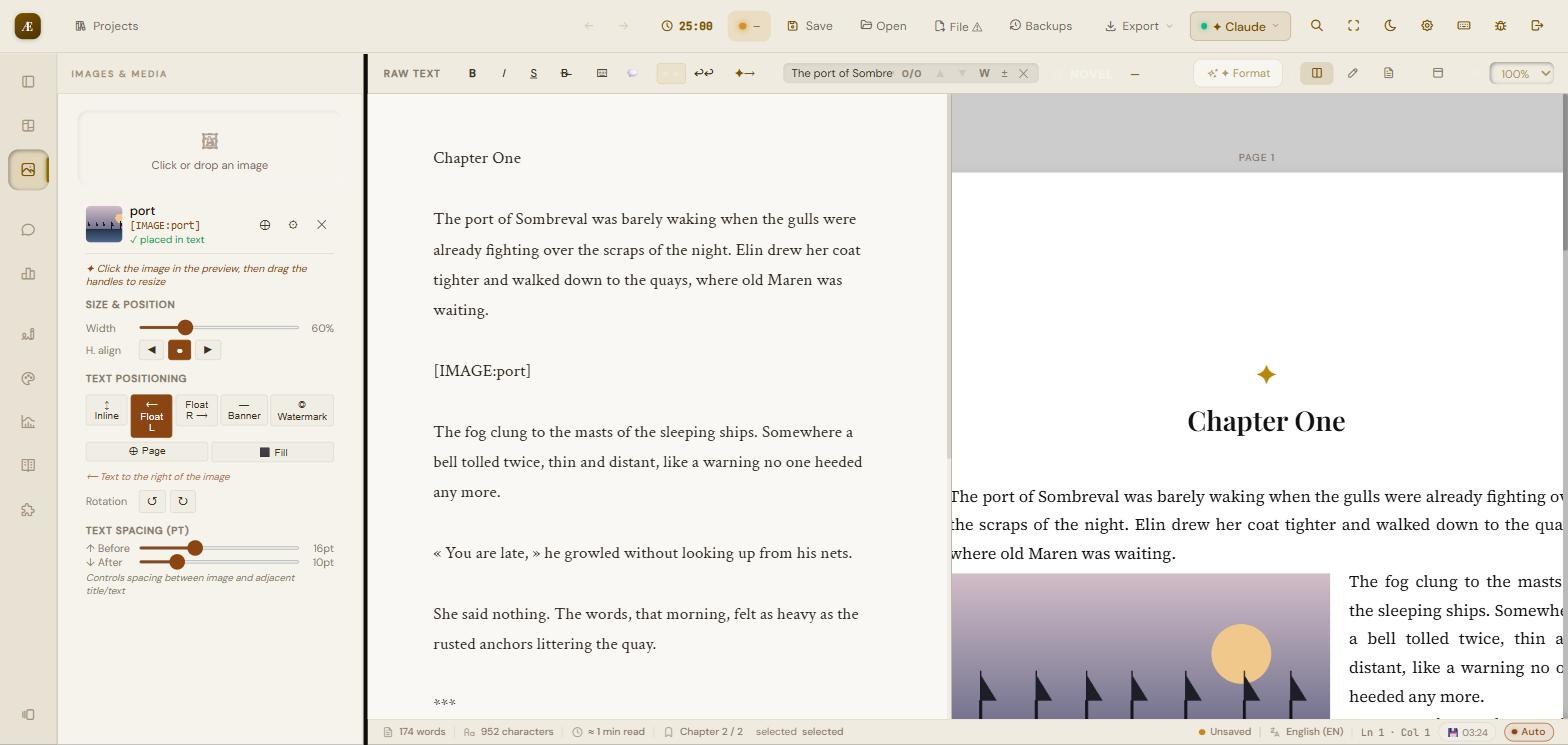
The “Images & media” panel. You insert an image into the text via an [IMAGE:name] marker, then fine-tune its appearance in the preview.
6.1 Add an image
- “Click or drop an image” area: drag a file or click to choose one.
- Enter a Reference name (used in [IMAGE:name]) and an optional Caption, then “Insert”.
- On the image card: insert button (places the marker at the cursor), Options (settings), Delete. A “placed in text” status shows whether the image is already used.
6.2 Size and alignment
- Width: slider from 10 to 200% (steps of 5%). In floating mode, width is capped at 60% to keep a readable text column.
- Horizontal alignment: Left, Centre, Right.
- Handles: click the image in the preview and drag the handles to resize.
6.3 Positioning in the text — 7 modes
| Inline | the image is in the flow, aligned with the text (no wrapping) |
|---|---|
| Float left | image on the left, text wraps on the right (width ≤ 60%) |
| Float right | image on the right, text wraps on the left (width ≤ 60%) |
| Banner | full width, edge to edge (fixed width) |
| Watermark | transparent image behind the page (adjustable opacity, default 10%) |
| Page | dedicated page, image centred vertically |
| Fill | dedicated page, image full-frame edge to edge |
The Float left / Float right modes make the text wrap beside the image (see the preview above); once past the bottom of the image, the text returns to full width. Any caption stays inside the floating block.
6.4 Other settings
- Rotation: rotation buttons in 90° steps.
- Opacity: 2 to 100% (Watermark mode).
- Page margins (mm): Top, Bottom, Left, Right (Page/Fill modes; 0 = edge to edge).
- Spacing in the text (pt): “Before” (default 16) and “After” (default 10) around the image.
- Caption: displayed below the image.
7. Project settings (7 tabs)
The “Settings” (gear) button in the top bar. Changes are applied immediately. The seven tabs: Work, Author, Character, Locations, AI Config, AI Prompts, Preferences.
7.1 Work — the work sheet
This information feeds the AI to contextualize its analyses. Every field is a drop-down list (except the free notes).
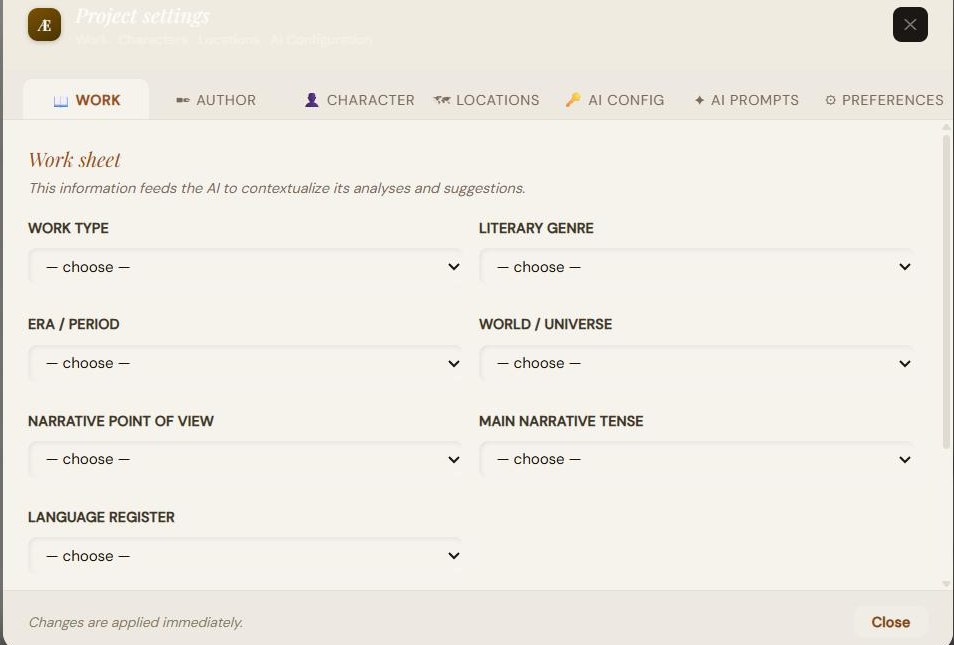
- Work type: Novel, Short story, Novella, Collection, Article, Essay, Screenplay, Poetry, Theatre.
- Literary genre: a broad grouped choice (Fantasy & imaginary, General fiction, Youth).
- Era / Period: from Antiquity to the far future, or secondary / undefined world.
- World / Universe: realistic, invented secondary, post-apocalyptic, dystopian, etc.
- Narrative point of view: 1st person, 3rd omniscient, 3rd limited, 2nd person, multiple POVs, unreliable narration.
- Narrative tense: simple past+imperfect, present, present perfect, mix (flashbacks).
- Language register: formal, standard, casual, slang, archaic, technical, mix.
- Free notes: summary, tones, themes, content warnings — free context for the AI.
7.2 Author — cover page
Information printed on the cover page and the header of the exported document.
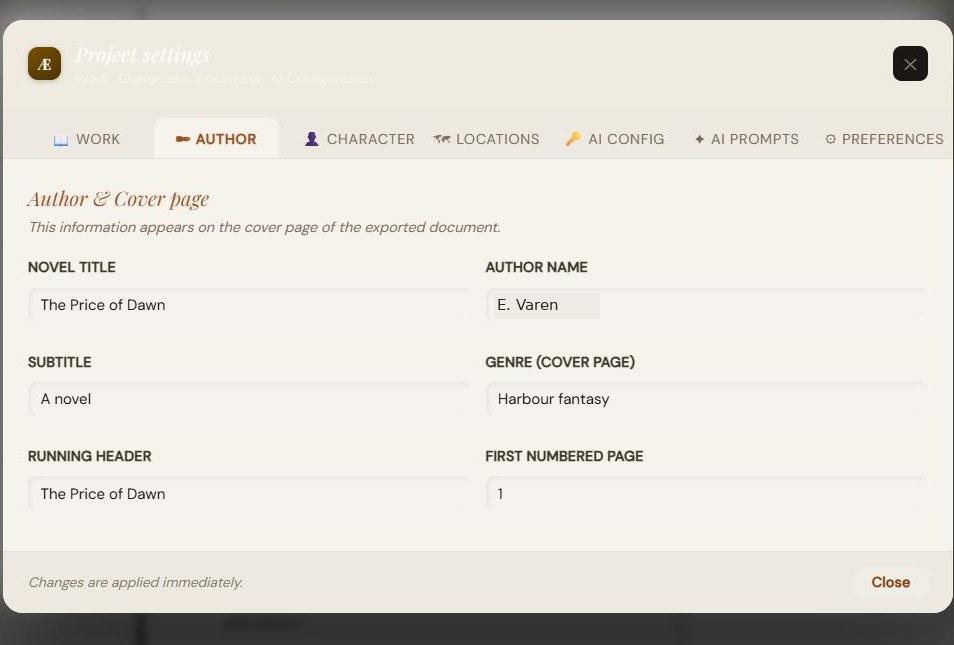
| Novel title | main title |
|---|---|
| Author name | first + last name |
| Subtitle | optional |
| Genre (cover page) | free text shown on the cover |
| Running header | text repeated at the top of every page |
| First numbered page | starting folio number (default 1) |
7.3 Character — detailed sheets
The “+ Add a character” button. Each sheet is organised into collapsible sections. Names and variants are passed to the AI so they are never flagged as errors.
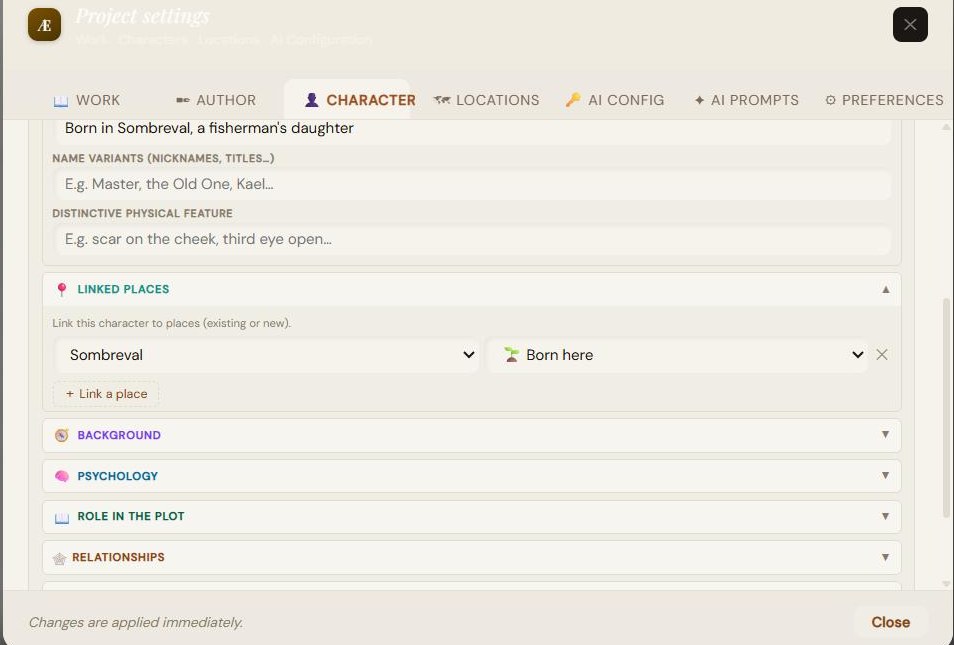
- Identity: Narrative role, Age/era, Origin/race/people, Name variants, Distinctive physical feature.
- Linked places: link the character to places with a link type — Born here, Lives here, Passing through, Died here, Other. The menu offers existing places or “+ New place…” which creates the place sheet on the fly.
- Background: founding wound, deep motivation, hidden dream.
- Psychology: fears, obsessions/quirks, taboos.
- Role in the plot: narrative function, arc, key impact.
- Relationships: alliances, tensions, relation to authority.
- Distinctive details: verbal tics, engraved memory, sensory detail.
- Each sheet has a delete button.
7.4 Locations — sheets and synthesis
The “+ Add a location” button. Place names and variants are excluded from spell-checking.
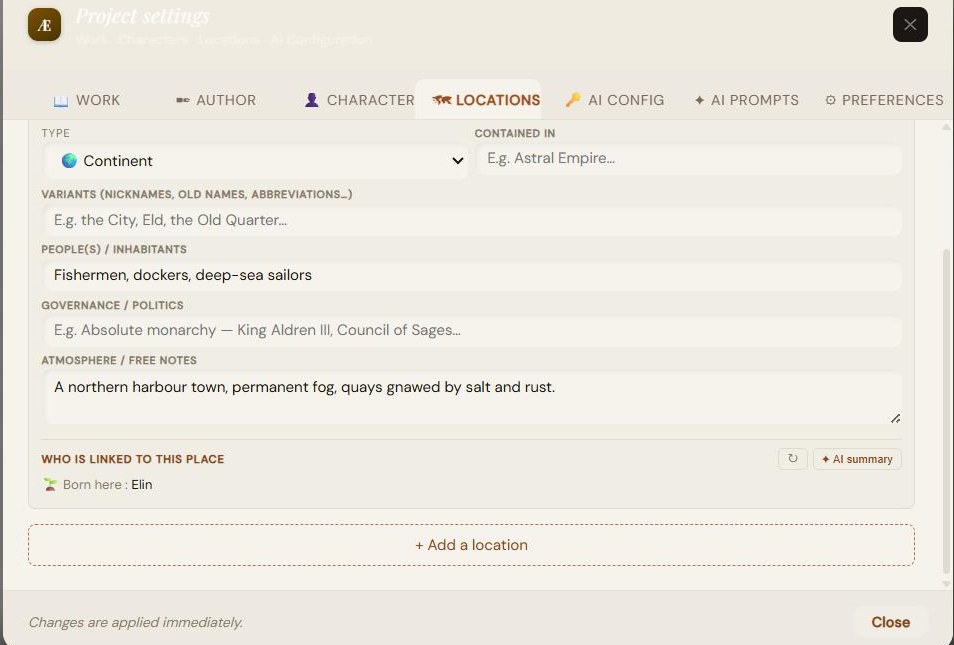
- Fields: Name, Type (Continent, Country/Kingdom, Region, Town, Village, District, Building, Natural place, Dimension/Plane, Other), Contained in (hierarchy), Variants, Peoples/Inhabitants, Governance, Atmosphere/notes.
- “Who is linked to this place” block: automatically lists linked characters, grouped by type (Born here / Lives here / Passing through / Died here / Other). Refresh button.
- “AI summary” button: generates a short narrative synthesis of the place from the linked characters (API key required).
7.5 AI Config — providers and keys
Select a provider, enter your API key, choose the model. Your keys stay on your machine and are never sent to our servers.
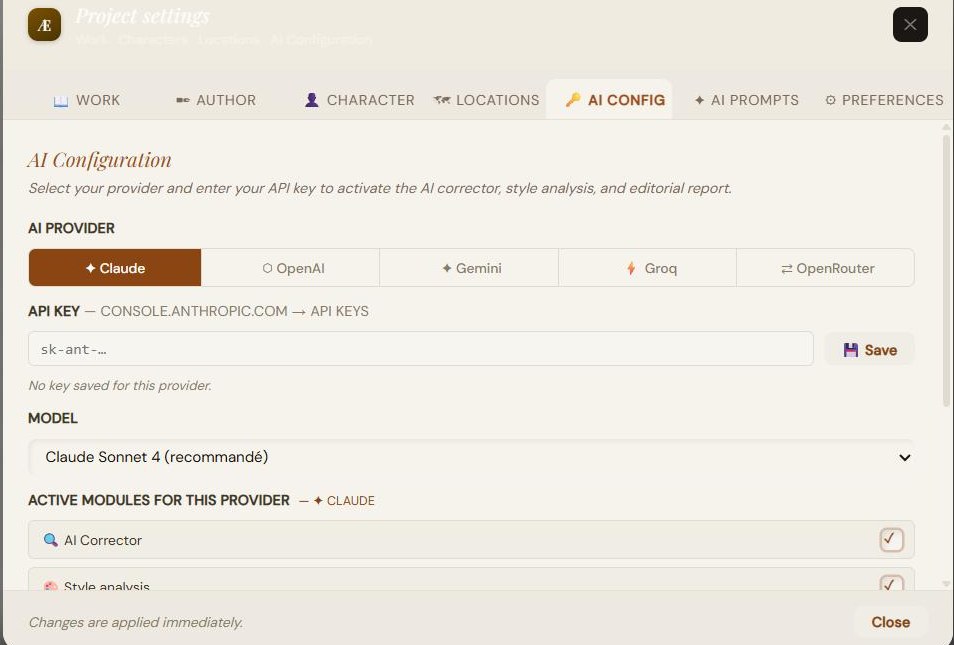
| Claude (Anthropic) | Sonnet 4 (recommended), Opus 4, Haiku — Anthropic console |
|---|---|
| GPT (OpenAI) | GPT-4o (recommended), 4o Mini, 4 Turbo, 3.5 Turbo |
| Gemini (Google) | 2.5 Flash (recommended), 2.0 Flash, 1.5 Pro |
| Groq | Llama 3.3 70B, Llama 3.1 8B, Mixtral 8x7B, Gemma 2 9B — free, no card |
| OpenRouter | 200+ models, some free; Claude 4.5, GPT-4o… |
- Enter the key (masked field) + “Save” button; a message confirms the save.
- Active modules (remembered per provider): AI Proofreader, Style analysis, Editorial report, AI statistical analysis.
- The LanguageTool proofreader always works without a key.
API keys are not saved in the .scrivaelo file: they stay only in your browser's local storage. Only the chosen provider and model are remembered with the project.
7.6 AI Prompts — customization
You can edit the instructions (prompts) used by each AI module, with a variant per language.
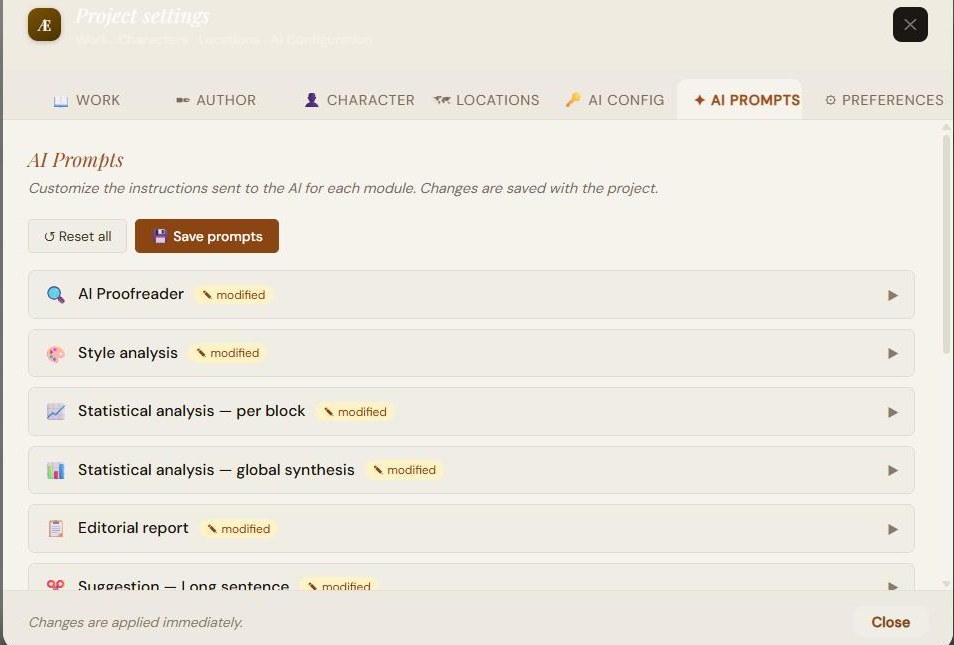
- Editable modules: Proofreader, Style analysis, Statistical analysis (per block and global synthesis), Editorial report, Suggestions (long sentence, repetition, sentence start, cliché), Chapter summaries (short, passage, final synthesis).
- The work context is injected automatically; the {contexte_oeuvre} marker lets you reposition it. A badge flags modified prompts.
- Two buttons: “Reset all” (default values) and “Save prompts”.
7.7 Preferences — interface, AI, automatic correction
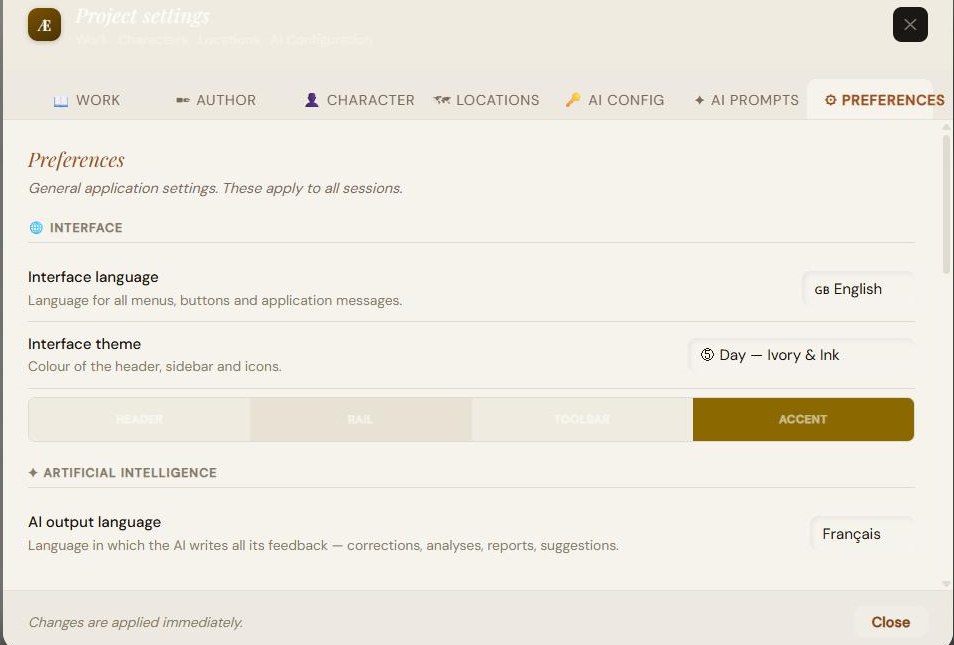
Interface
- Interface language: 11 languages (§1.4).
- Theme: 6 themes (Slate Blue & Copper, Deep Forest & Gold, Old Sepia & Gold, Art Nouveau Journal, Day Ivory & Ink, Day Light Slate) with live preview.
Artificial intelligence
- AI output language: 16 languages (fr, en, es, de, it, pt, nl, pl, ar, zh, ja, ru, da, el, fi, hu). It determines the language of every AI reply.
Automatic correction (no AI)
A master switch enables light mechanical corrections in real time, with many sub-options.
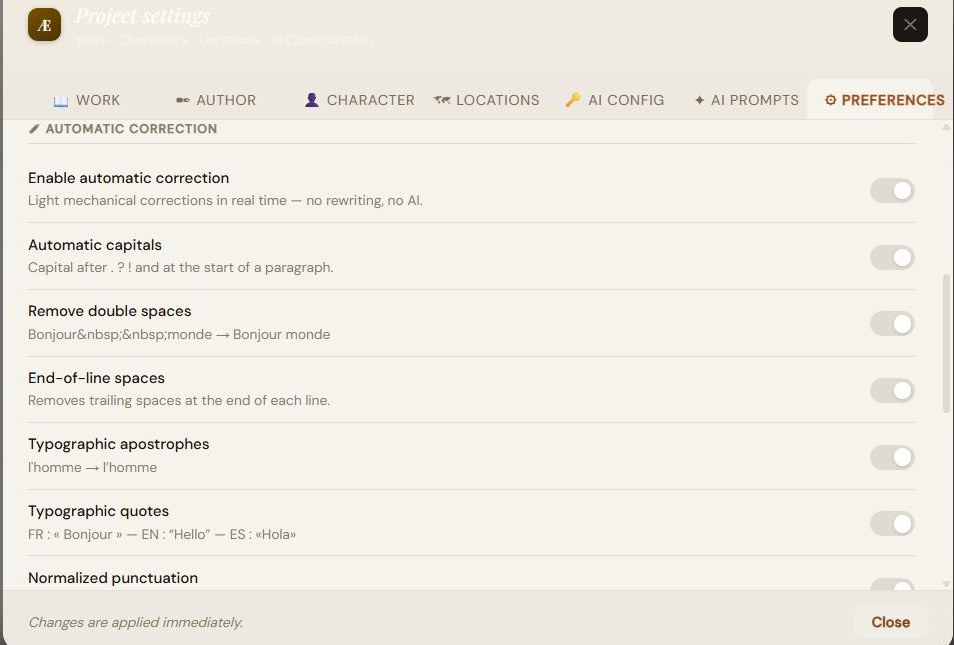
- Automatic capitals; remove double spaces; end-of-line spaces; typographic apostrophes; typographic quotes (FR « », EN “ ”, ES «»); normalized punctuation; accidental repetitions; excessive punctuation.
- Plural agreements: noun agreement, subject-verb, noun-adjective; lexical spelling; past participles (with “have”).
8. AI-assisted writing tools
The “Writing tools” panel. A dot shows the AI configuration state; a “AI Config” button opens the settings. Unless stated otherwise, these tools require an API key (the LanguageTool proofreader works without a key). The reply language follows the “AI output language” setting.
8.1 Proofreader
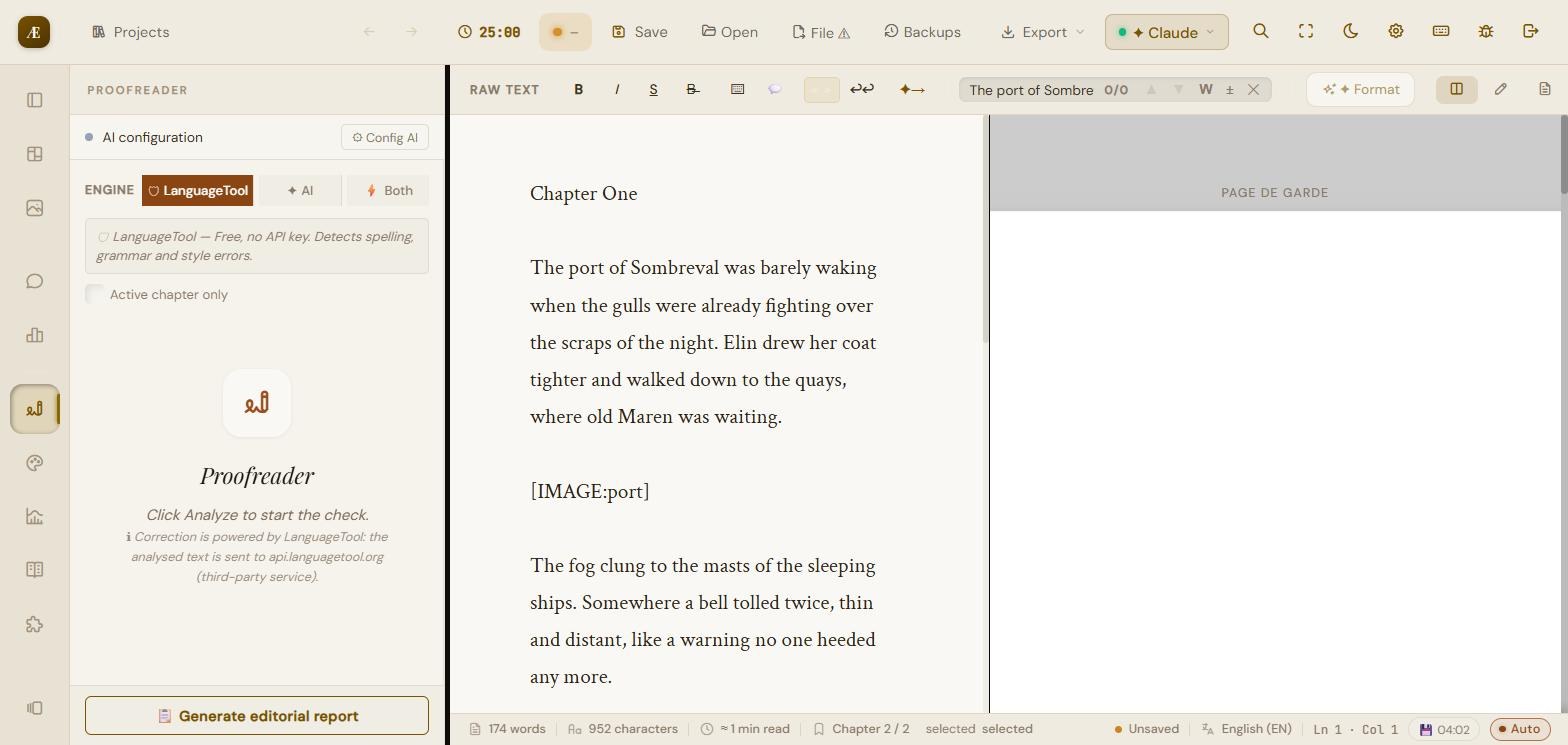
- Three engines: LanguageTool (free, no key), AI (needs a key), Both.
- “Active chapter only” option.
- Analyze (flags problems) and Correct all (applies corrections) buttons. Covers spelling, grammar, punctuation, style.
8.2 Style analysis
- Style (local, no AI): readability, lexical variety, repetitions, rhythm, detached constructions.
- AI: in-depth stylistic analysis, able to propose rewrites.
8.3 Advanced statistics
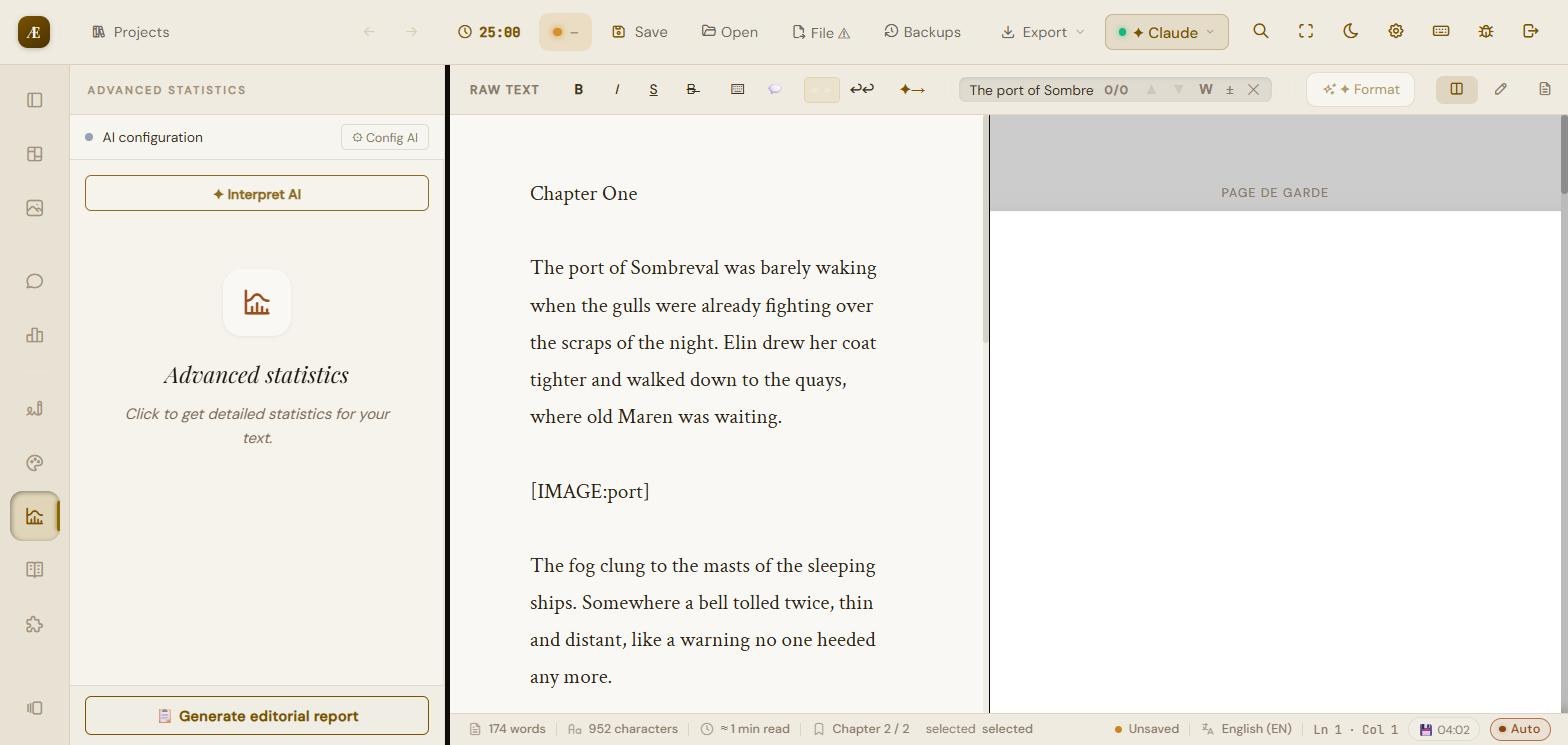
- Local computation: detailed statistics of the text.
- “Interpret AI”: chained analysis per block/chapter then a global synthesis (several API calls).
8.4 Synonyms
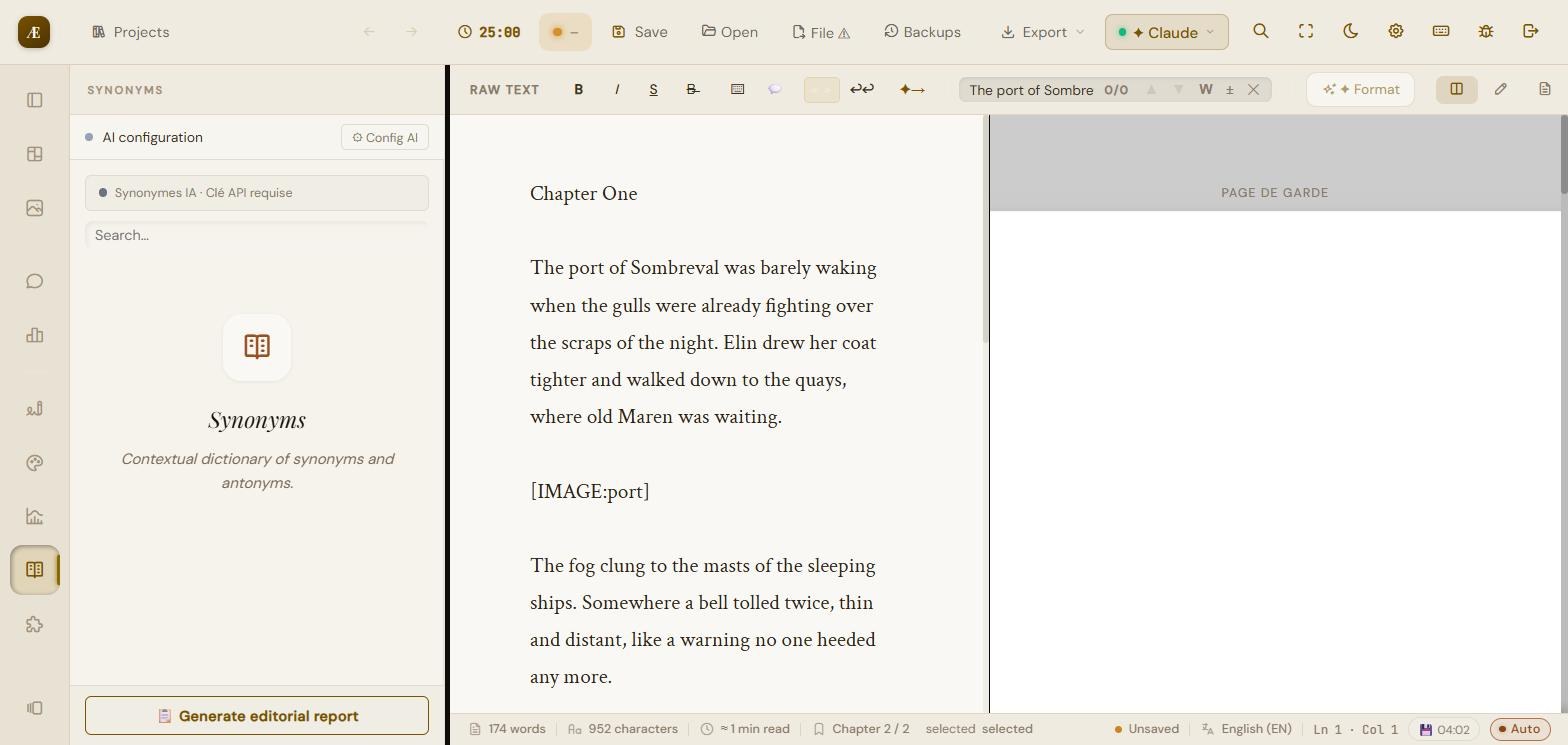
Select a word (or type it) and run the search. Depending on the configuration: AI synonyms (key required) or a contextual dictionary. A “Replace with…” button applies the choice directly in the text.
8.5 Narrative consistency
Analyses the whole novel (split by chapters) to spot internal contradictions. It sends the character sheets, location sheets and the text to the AI.
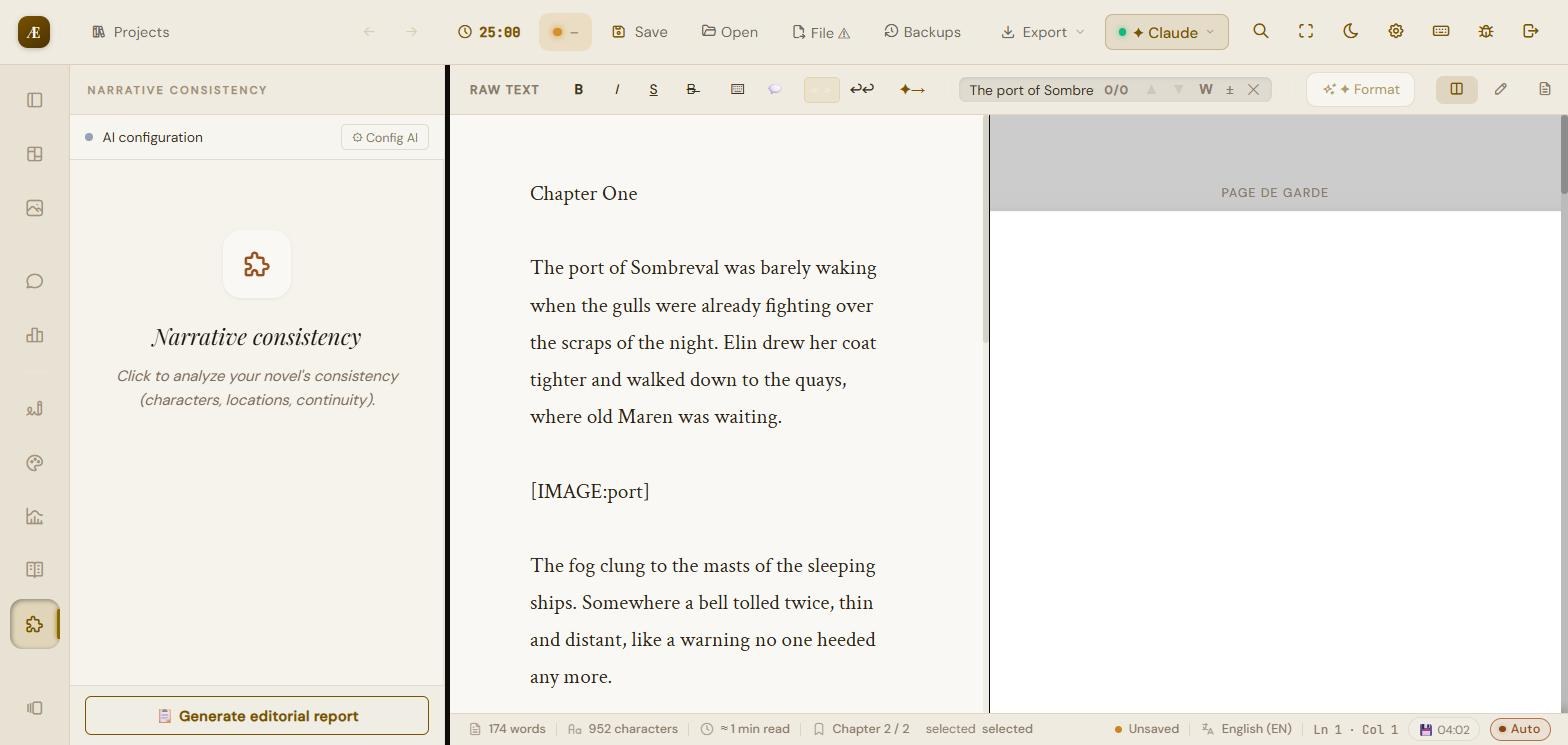
- Structural check (instant, no AI): flags a character linked to a place missing from the sheets.
- The AI only reports 4 categories, each justified by two contradictory quotes: character (a dead one reappearing, changing name/appearance), chronology (contradictory dates), place (radically contradictory description), object (a destroyed/lost object reappearing).
- Each inconsistency shows its two quotes and a button to point to the passage. Otherwise: “No certain inconsistency detected”.
8.6 Editorial report
Compiles a structured report (runs the analyses and synthesizes them). Copyable result. Full analysis, AI required.
8.7 Substitution suggestions
From the style-analysis cards (long sentence, repetition, sentence start, cliché), the “Generate suggestions” button proposes selectable rewrites; “Replace” applies them after confirmation.
8.8 Analysis of a selected passage
On a selection: Analyze, Rephrase, Tighten, Enrich — the result is copyable.
8.9 Continuation and summaries
- AI continuation: generates a continuation from the context (formatting bar).
- Chapter summary: generates a summary of the active chapter (key required).
9. Statistics, goals and Pomodoro
9.1 Statistics
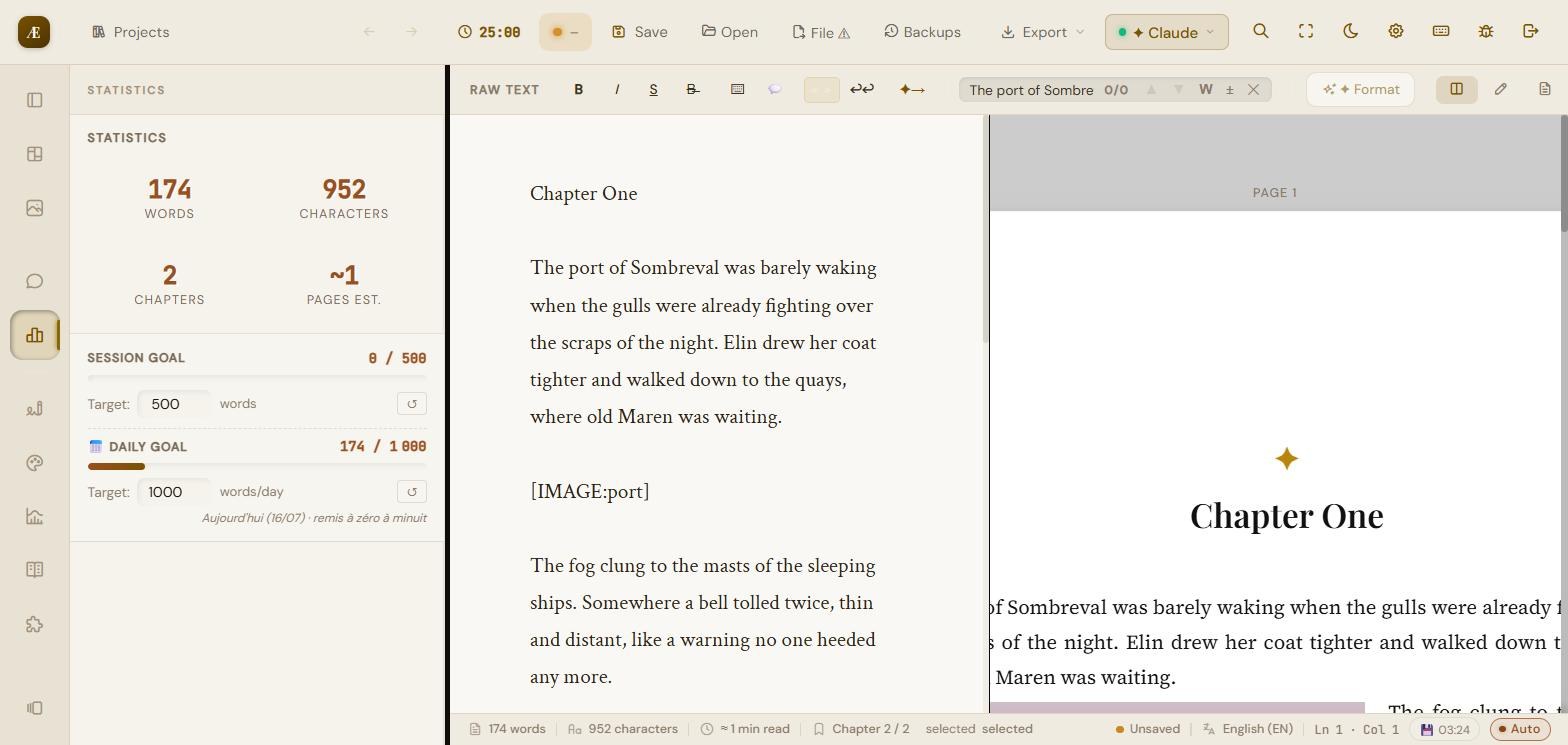
The Statistics panel shows four counters: words, characters, chapters, estimated pages. The status bar also shows characters and estimated reading time.
9.2 Word goals
- Session goal: adjustable target (default 500 words), progress bar, reset button.
- Daily goal: daily target (default 1,000 words/day), tracked from one day to the next.
9.3 Pomodoro
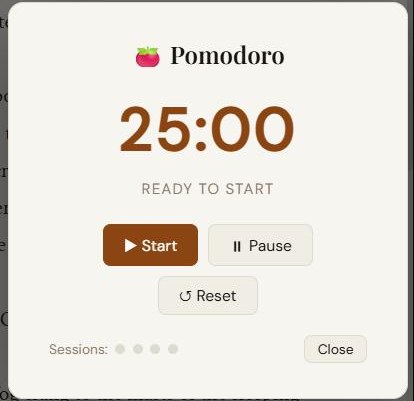
- Cycle: 25 min work, 5 min short break, 15 min long break, over 4 sessions.
- Start, Pause, Reset buttons; session tracking; automatic work/break chaining with a sound cue and notifications.
10. Exporting your manuscript
The “Export” menu in the top bar. Every export keeps the project's layout, cover page and images.
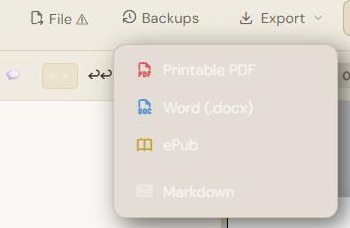
| Printable PDF | faithful to the preview: pagination, cover page, running header, folios, margins, images (including dedicated pages and watermarks) |
|---|---|
| Word (.docx) | paragraphs, formatting, images and captions |
| ePub | digital book: detected chapters, title/author, book language |
| Markdown | keeps bold/italic/strikethrough, with a front-matter header title/author/genre |
In addition, author notes and annotations can be exported separately as Markdown files.
11. Saving and data security
Scrivaelo is 100% local: your texts stay on your machine, nothing is sent to our servers. The project format is the .scrivaelo file (JSON).
- Save: saves the project (downloads a .scrivaelo, or writes to the current disk file).
- Local autosave: every few seconds, a copy is written in the browser (the 4 most recent per project are kept); a timestamped badge confirms it. Restorable from the welcome window.
- Real disk files (Chrome/Edge/…): open, save, “Save as” real files; if a file is open, autosave writes to it too.
- Versioned backups (“Backups” menu): choose a backups folder; on each save, a timestamped copy is written there (the 15 most recent per project).
- Concurrent-modification warning: if the project was modified elsewhere since it was opened, a confirmation prevents overwriting that work.
- API keys: never sent or saved in the project file — they stay in the browser.
Set up a versioned backups folder from the start, and take a “Snapshot” before every big rewrite. You then keep a reliable history, on top of autosave.
12. Keyboard shortcuts
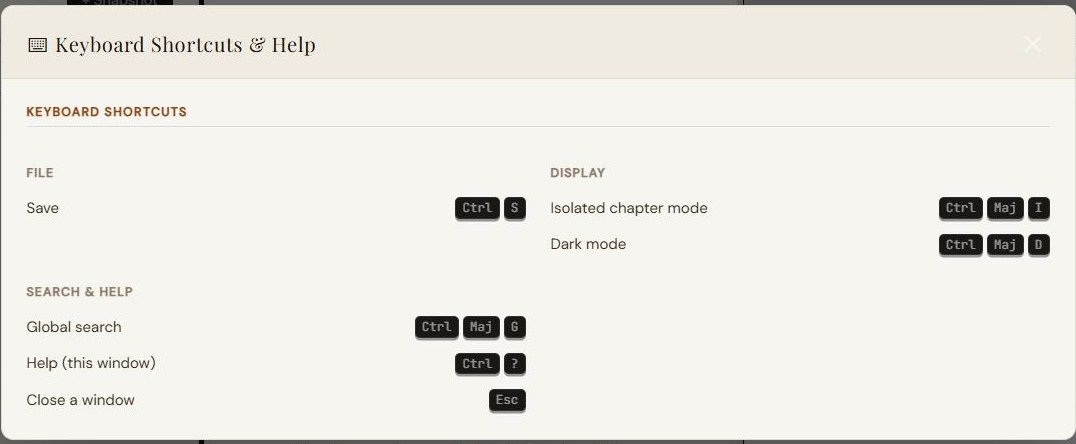
| Ctrl / Cmd + S | Save the project (or write to the open disk file) |
|---|---|
| Ctrl / Cmd + Shift + G | Global search across the whole project |
| Ctrl / Cmd + Shift + I | Isolated chapter mode |
| Ctrl / Cmd + Shift + D | Dark mode |
| Ctrl + F | Search in the text |
| Ctrl + ? | Help (this window) |
| Esc | Close the active window / modal |
13. Help and bug reporting
- From the dashboard (Support card) or the studio (“Report a bug” icon), describe the problem (title, category, severity, description).
- The report reaches the team and you track its status (New → In progress → Resolved), with its reply, from “My tickets”.
- Community: join the Scrivaelo Discord (technical channels and multilingual bug reports) or write to contact@scrivaelo.com.
End of the guide — Scrivaelo is in active beta: new features and improvements are added regularly (see the site changelog).